Ressources & Documentations Yubikey
Bienvenue sur la page dédiée aux documentations Yubikey
La sécurité de vos accès commence par une configuration maîtrisée grâce à nos documentations Yubikey. Que vous soyez un particulier soucieux de protéger vos comptes personnels ou un administrateur système en charge du déploiement d’une politique globale Zero Trust, cet espace centralise l’ensemble des manuels, guides pratiques et spécifications techniques de la gamme Yubico.

Check out our Yubikey documentation
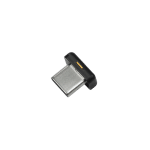
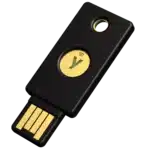
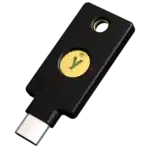
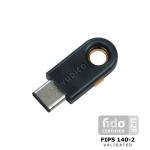
Ci-après, retrouvez l’ensemble de nos documentations Yubikey, nous permettant de vous proposer un accompagnement sur mesure. Que ce soit pour le paramétrage d’une Yubikey 5C NFC ou d’une Yubikey 5 Nano, en passant par la très complète YubiHSM 2, vous trouverez forcément ici les documentations Yubikeys qu’il vous faut !
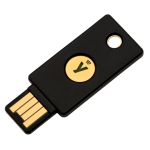
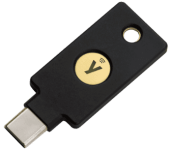
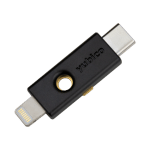
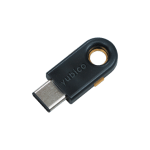

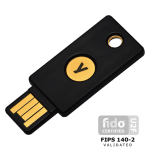

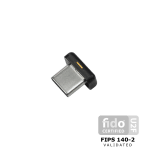

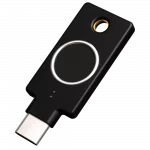
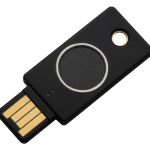
Not sure which key to choose?
Frequently Asked Questions About Yubikey Documentation
What is the difference between FIDO2 and U2F?
The U2F (Universal 2nd Factor) protocol is the first generation of FIDO security. It adds a second verification step during login—after you enter your password—by physically touching your key.
FIDO2 is the modern and more comprehensive evolution of this technology. It allows users to completely eliminate the need for passwords (“passwordless” authentication). FIDO2 is capable of handling more complex strong authentication by not only confirming that you possess the key but also by using advanced encryption standards that protect against more sophisticated threats such as complex phishing or “man-in-the-middle” attacks. In short: U2F is your second factor; FIDO2 is your secure master key.
Can my YubiKey be copied?
No, that's impossible. The YubiKey is designed with a secure chip (Secure Element) that makes it physically impossible to extract private keys. Unlike a code received via text message or an authentication app installed on your phone (which can be cloned or hacked), the private key generated by the YubiKey never leaves the hardware. It is unique and physically tied to the key.
What should I do if I lose my key?
Losing your physical key does not result in the loss of your data, but it does prevent you from accessing your accounts. That is why we always recommend registering a backup key (the “bundle” of two keys). Feel free to check out our detailed article on the subject.
If you lose your YubiKey:
Use your recovery codes: Most online services generate recovery codes during the initial setup of your YubiKey.
Contact your IT administrator: If you work for a company, your IT department can revoke the old key and register your new key in the system.
Recovery procedure: Follow the specific procedure for the online service you’re using (Google, Microsoft, Dashlane, etc.) to reset your login options.
Can I use a YubiKey on an iPhone and an Android device?
Yes, absolutely. Models equipped with NFC technology (such as the YubiKey 5 NFC line or the Bio series) work contactlessly with most recent smartphones.
Android: Simply hold the key up to the back of the phone to authenticate via NFC.
iPhone: NFC technology is supported by iPhones (starting with the iPhone 7 running iOS 13 or later). For older models or depending on the use case, keys with Lightning or USB-C connectors (such as the YubiKey 5Ci) allow for a direct connection.
Le dictionnaire des documentations Yubikeys
MFA (Multi-Factor Authentication)
MFA
L'authentification MFA est très simple : pour accéder à un système, vous devez prouver qui vous êtes par au moins deux facteurs distincts. Ainsi, Si un attaquant vole votre mot de passe, il reste bloqué devant le deuxième facteur.
Zero Trust (Zero Trust Architecture)
Zero Trust
Protocole FIDO2 (Fast Identity Online 2)
Protocole FIDO2
FIPS 140-2 (Federal Information Processing Standard)
FIPS 140-2
Phishing
Phishing
U2F (Universal 2nd Factor)
U2F
PKI (Public Key Infrastructure / Infrastructure à Clés Publiques)
PKI
Secure Element (Élément Sécurisé)
Secure Element
Nos documentations Yubikey en vidéo
Parcourez librement nos articles dédiés aux Yubikeys