What is the best alternative to Google Authenticator in 2026?
Multifactor authentication (MFA) has become the standard. For a long time, receiving a code via text message or using an app like Google Authenticator seemed sufficient. However, the world of cybercrime has changed. If you’re reading this, you’re probably looking for an alternative to Google Authenticator that’s more robust, simpler, or more reliable.
Why look for an alternative to Google Authenticator?
These days, hackers no longer just guess your passwords—they intercept them in real time. Plus, let’s be honest: entrusting the security of your entire digital life to a simple smartphone app (which could break down, get stolen, or be hacked) is no longer the wisest strategy. That’s why looking for an alternative to Google Authenticator makes perfect sense.
The problem with Google Authenticator isn’t how it works internally, but how it transmits data. The app generates a six-digit code that changes every 30 seconds. This is known as a “one-time code.” The issue? This code is text that you have to copy and paste. And if you can copy it, a hacker can steal it.
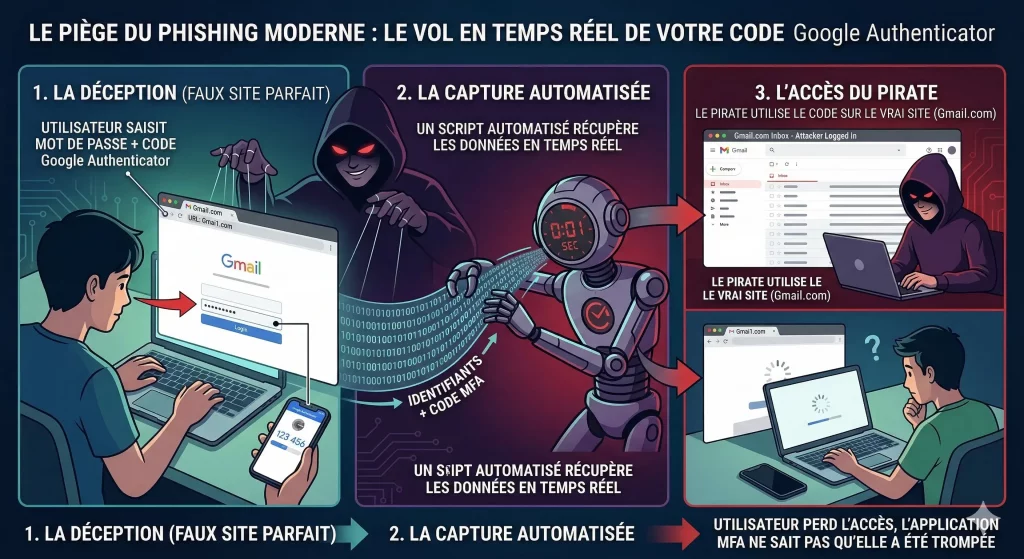
The Trap of Modern Phishing
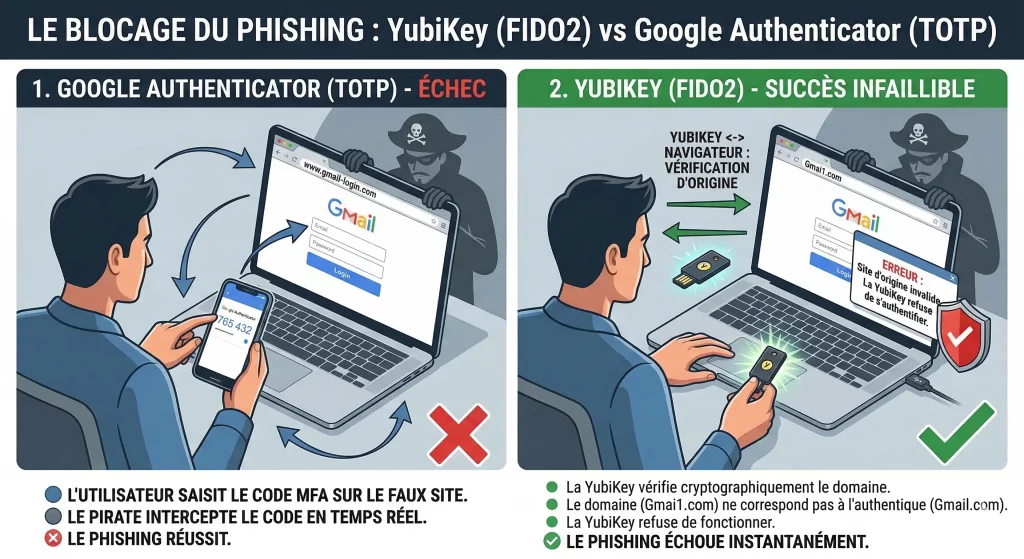
These days, attacks no longer look like old, error-ridden emails. Instead, they use perfectly crafted login pages. So when you enter your Google Authenticator code on a fake page, a bot captures it and logs you in for you in less than a second. Furthermore, the app doesn’t “know” that you’re on a malicious site. It provides the code, and the hacker gains access. It is precisely for this reason that finding an alternative to Google Authenticator has become a priority for savvy businesses and individuals.
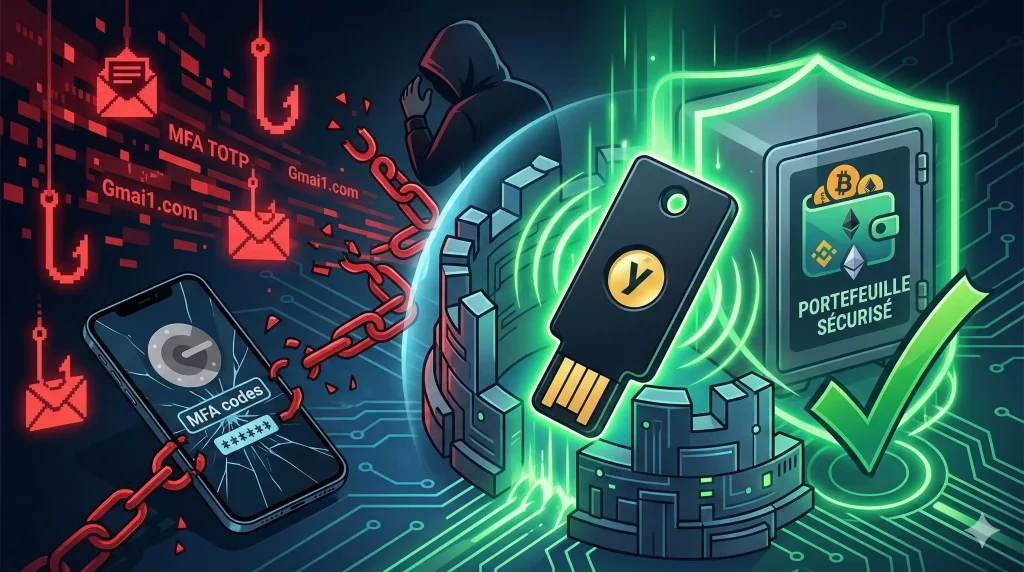
The YubiKey: An Alternative to Google Authenticator
The YubiKey isn't an app; it's a physical device. At first glance, it looks like a small, ordinary USB flash drive that you can attach to your keychain. It doesn't require you to enter a code. To log in, you plug in the key (or tap it against your phone using NFC) and simply touch the gold sensor.
The Definitive End of Phishing
The strength of this alternative to Google Authenticator lies in a technology called FIDO2. However, unlike an app, the YubiKey “communicates” with your web browser.
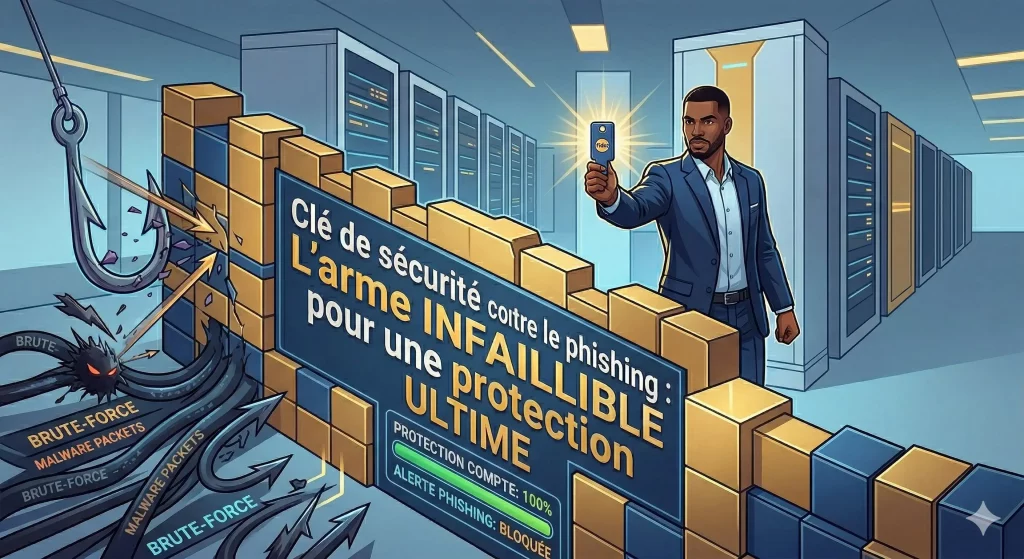
Before authorizing the connection, the key verifies the site’s identity. If you’re on a fake banking site or a fake Gmail page, the key detects it instantly and refuses to work. As a result, you don’t even need to be an expert: the technology does the work for you. It’s a passive and foolproof security measure.
Why choose hardware over an app?
| What we're comparing | Google Authenticator (Software) | YubiKey (Hardware) |
|---|---|---|
| Simplicity | Copy and paste 6 digits | A simple physical "tap" |
| Phishing Security | Vulnerable to fake websites | Total Protection |
| Strength | Depends on the phone's battery | Indestructible and battery-free |
| Reliability | Risk of losing access if the phone is broken | Spare keys available (just like for a house) |
| Cost | Free | Cost (approximately €50–€60) |
Is it difficult to switch to a YubiKey?
This is one of the biggest concerns when looking for an alternative to Google Authenticator. However, the transition is seamless. First, most major services (Google, Microsoft, Facebook, Binance, Kraken, GitHub) have a “Security” section where you can add a “Security Key.” Finally, whether you choose the versatile YubiKey 5 NFC or the version for newer ports, the YubiKey 5C NFC, setup takes only a few seconds.
Finally, once registered, the key becomes your personal bodyguard. This means you can continue to use Google Authenticator for your less important accounts and reserve the YubiKey for your bank accounts, primary email addresses, and social media accounts.
Associer votre clé YubiKey à vos gestionnaires de mots de passe
Si l’application Yubico Authenticator remplace avantageusement la génération de codes temporaires, la clé matérielle prend tout son sens lorsqu’elle verrouille directement vos coffres-forts d’identifiants. Qu’il s’agisse d’un environnement d’équipe ou d’un usage individuel, l’authentification FIDO2 élimine les risques de vol de session.
Pour les structures professionnelles gérant des secrets partagés, découvrez notre guide de configuration YubiKey sur Passbolt afin de bloquer les attaques de phishing sur vos accès serveurs et bases de données. Si vous utilisez plutôt une solution cloud grand public ou d’entreprise, vous pouvez également sécuriser votre compte LastPass avec une clé physique pour protéger votre mot de passe maître en un seul geste tactile.
EISN helps you find an alternative to Google Authenticator
Are you considering the YubiKey as an alternative to Google Authenticator for your organization? If implementation seems complex on an enterprise scale, eisn.fr offers a comprehensive support and deployment assistance service. Our experts will guide you in selecting the appropriate models, such as the YubiKey 5 NFC or the YubiKey 5C NFC, and in integrating the FIDO2 standard into your existing identity infrastructure. So don’t let technical complexity slow down your transition to seamless hardware-based security.
Conclusion: The future of your security lies in physical security
By 2026, mobile apps will be a basic solution, but they’re no longer the cutting-edge option. Don’t wait any longer—choosing an alternative to Google Authenticator, such as the YubiKey 5 NFC, gives you complete peace of mind. You’ll never have to wonder again if the link you clicked was the right one. The key knows for you. Protect your access, secure your digital future, and switch to the physical standard with the YubiKey 5 NFC or YubiKey 5C NFC models.